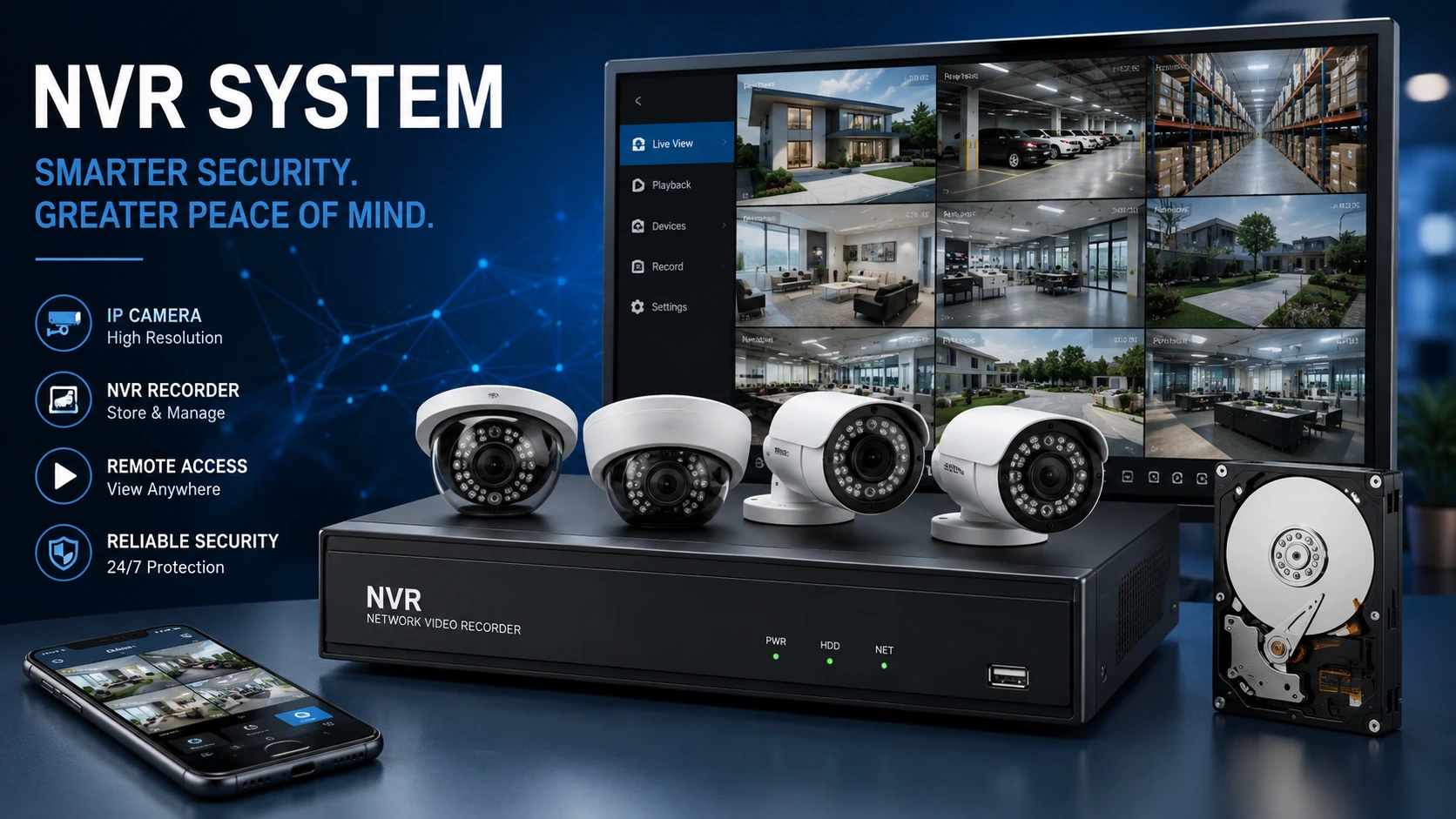
You’ve probably seen the term NVR system while shopping for security cameras. But what does it actually mean? And do you really need one?
This guide breaks it down in simple terms. By the end, you’ll know exactly what an NVR does and why it matters for your security setup.
What Is an NVR System?
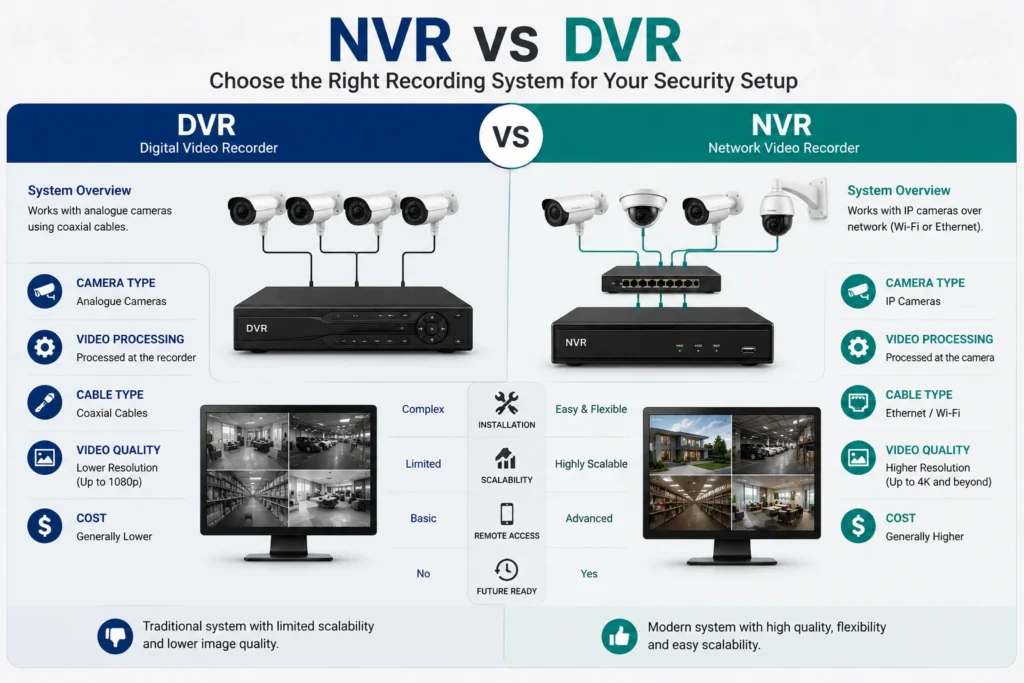
NVR stands for Network Video Recorder. An NVR system records video footage from IP cameras over a network. Think of it as the brain of your CCTV setup.
It stores, manages, and plays back all your recordings in one place. You don’t need separate cables for each camera. Everything connects through Wi-Fi or Ethernet instead.
This makes setting up your NVR much simpler.
How Does an NVR Work?
An NVR system works differently from older recording setups. Traditional DVRs process video at the recorder itself. An NVR receives video that the camera has already processed.
Here’s the basic process:
- Your IP camera captures footage.
- The camera processes and encodes it.
- The footage travels over your network.
- The NVR stores it on a hard drive.
The NVR focuses purely on storage and playback. Cameras handle the processing. This setup delivers higher-quality footage and more flexibility overall.
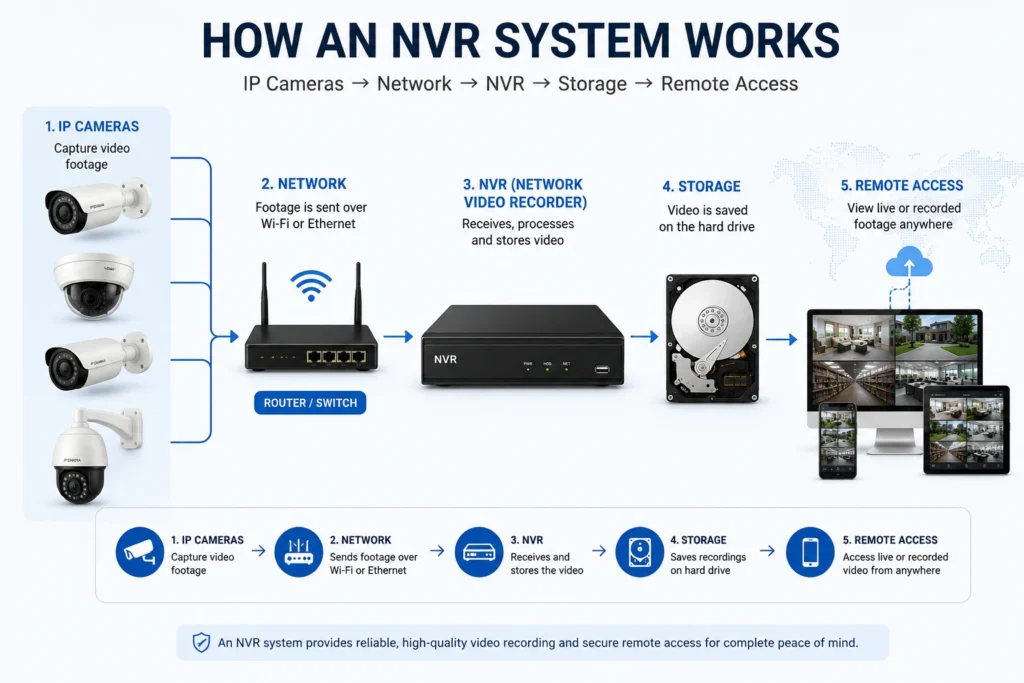
NVR vs DVR: What’s the Difference?
Many people mix up an NVR system with a DVR. They serve a similar purpose but work very differently.
DVR (Digital Video Recorder):
- Works with analogue cameras
- Processes video at the recorder
- Needs coaxial cables
- Offers lower image quality
NVR System (Network Video Recorder):
- Works with IP cameras
- Processes video at the camera
- Uses Ethernet or Wi-Fi
- Supports higher resolution
For modern security setups, an NVR is usually the smarter choice. It handles 4K footage and gives you far more flexibility.
https://bookmycctv.com/product-category/network-video-recorder-nvr/ https://en.wikipedia.org/wiki/Network_Video_Recorder
Why Your CCTV Needs an NVR System
Better Video Quality
IP cameras paired with an NVR can record in HD, 4K, and beyond. Old analogue systems can’t compete. Sharp footage makes it easier to spot faces, number plates, and details.
Easy to Expand
Want more cameras later? With a DVR, you’re limited by physical ports. An NVR lets you add cameras over your network with minimal rewiring.
This makes it perfect for growing homes and businesses.
Remote Access from Anywhere
Most NVR connect to the internet. You can check live footage from your phone, no matter where you are. Staying in control has never been easier.
One Place for All Footage
Every camera’s recordings save to a single NVR system. There’s no juggling memory cards or separate devices. Finding old footage becomes quick and simple.
Smarter Security Features
A modern NVR system offers handy extras like:
- Motion detection alerts
- Facial recognition
- AI-based object detection
- Night vision recording
These tools help you catch problems early and cut down on false alarms.
How to Choose the Right NVR
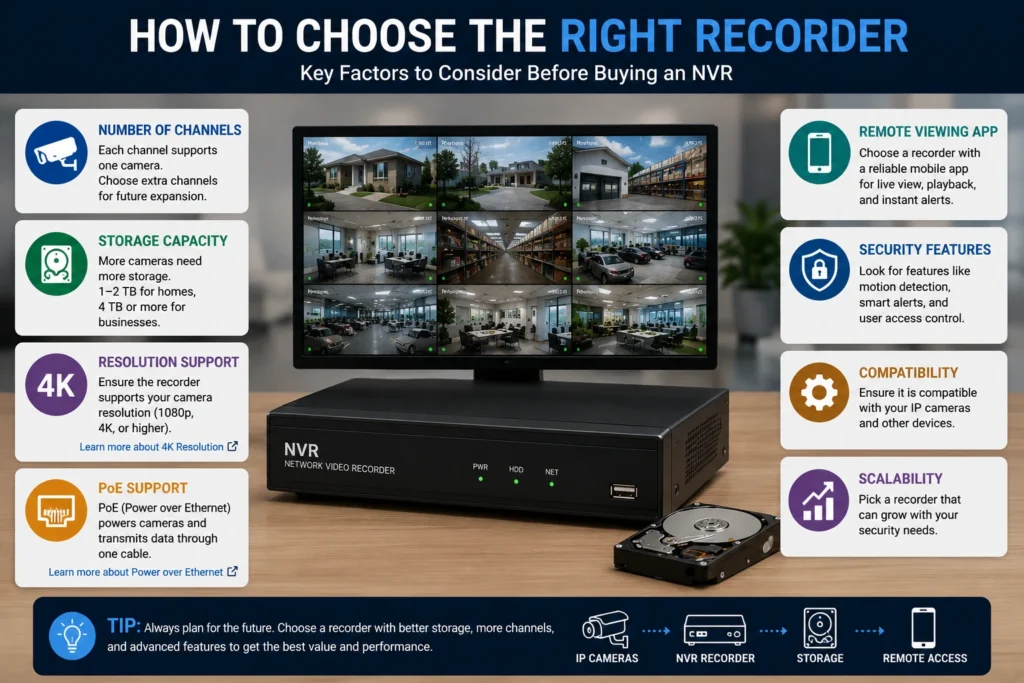
Picking an NVR system doesn’t need to be hard. Just focus on these key points.
Number of Channels
Each channel on an NVR system supports one camera. A 4-channel NVR handles up to four cameras. Always choose more channels than you currently need, since this leaves room to grow.
Storage Capacity
Every NVR system stores footage on internal hard drives. More cameras mean more storage needed. For most homes, 1–2 TB works well. Larger businesses may need 4 TB or more.
Resolution Support
Check that your NVR system matches your camera’s resolution. Some budget models only support 1080p. If you use 4K cameras, your NVR must support 4K too.
PoE Support
PoE means Power over Ethernet. A PoE NVR system powers your cameras through the same cable used for data. Fewer cables mean a cleaner, faster install.
Remote Viewing App
Look for an NVR system with a reliable mobile app. Good remote access matters for any modern setup. The best apps offer live view, playback, and instant alerts.
Where Can You Use an NVR System?
An NVR suits almost any setting. Here are common examples.
At Home: Watch your front door, garden, and driveway. Keep tabs on deliveries even when you’re out.
In Small Businesses: Protect your shop or office. Deter theft and monitor staff activity.
In Large Enterprises: Manage many cameras across multiple sites from one NVR dashboard.
On Construction Sites: Keep an eye on equipment overnight or during off-hours.
This flexibility is what makes an NVR so popular.
Common NVR Mistakes to Avoid
A few simple errors can reduce your NVR system’s effectiveness.
Skimping on storage. Running low on space means old footage gets overwritten fast. Always buy more than you think you’ll need.
Ignoring security updates. An NVR connects to the internet, so it’s a hacking target. Change default passwords and update firmware regularly.
Buying too few channels. Saving money now can cost you later. Adding cameras becomes tricky once your NVR runs out of channels.
Placing cameras poorly. Even the best NVR can’t fix bad camera angles. Plan positions carefully before installing anything.
Final Thoughts on Choosing an NVR
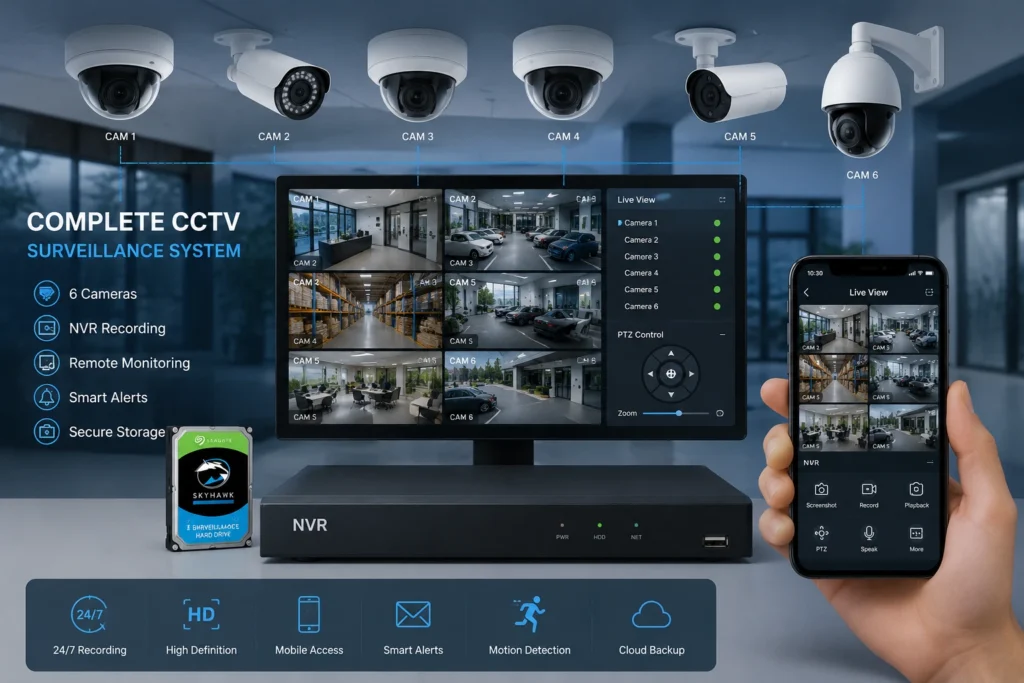
An NVR system sits at the heart of any modern CCTV setup. It keeps your footage safe, organised, and easy to access. Whether you’re protecting a home or a business, the right NVR makes a real difference.
Pick an NVR that fits your needs now, but always plan for growth later. A good NVR gives you peace of mind around the clock.
Ready to upgrade your security? Start by comparing NVR system options based on channels, storage, and resolution. The right system might be closer than you think.